Powerful Features for Modern Teams
Everything you need to manage projects, track time, analyze profitability, and collaborate effectively—all in one comprehensive platform.
Complete Feature Overview
Click on any feature to learn more about benefits, use cases, and capabilities
Time Entry & Timesheets
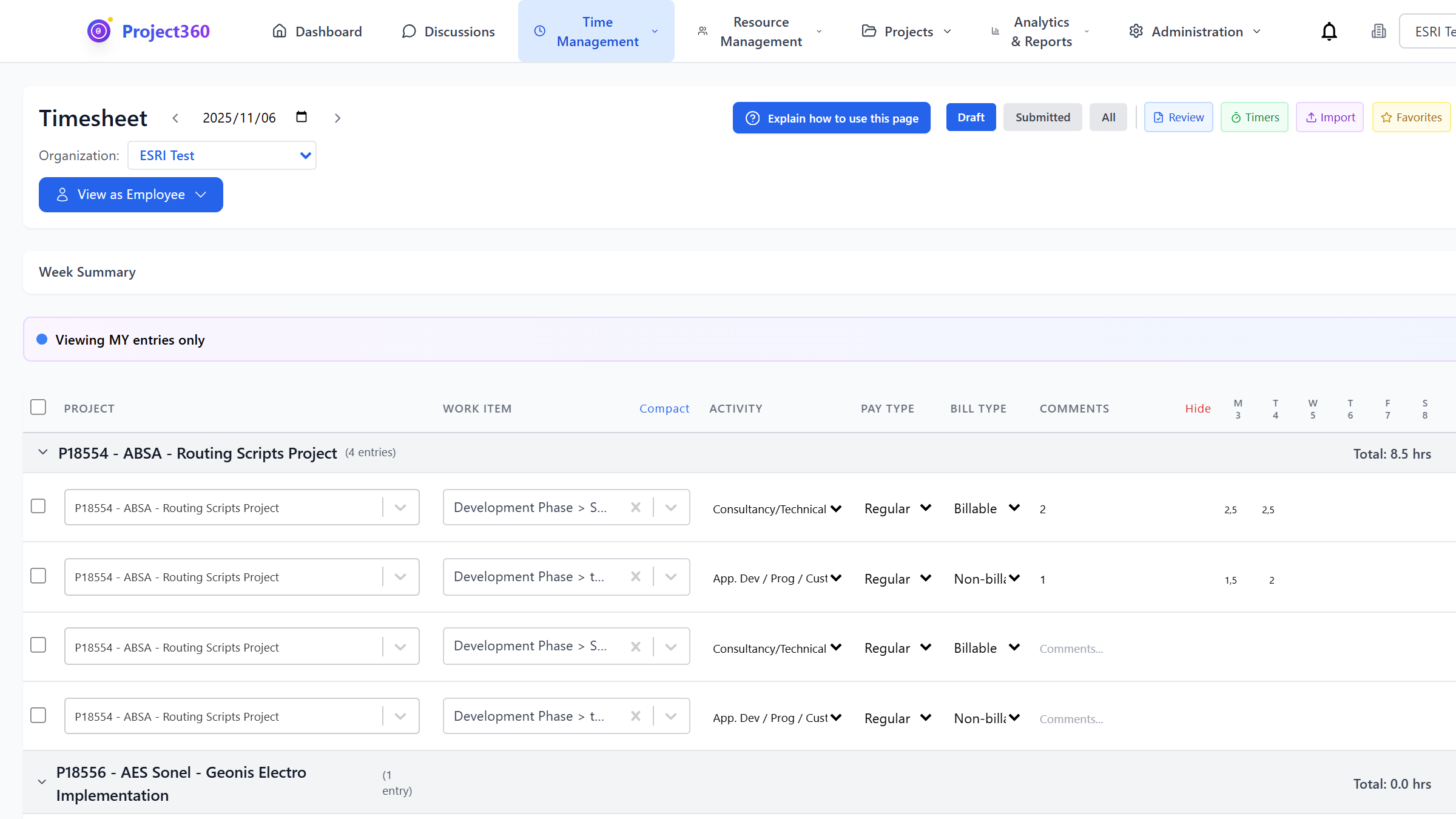
Streamline time tracking with our intuitive calendar-based interface. Employees can quickly log hours across multiple projects with smart templates and automated workflows.
Calendar interface showing weekly timesheet with multiple projects and color-coded activities
📸 To add screenshot:
1. Save your screenshot as: time-tracking.png
2. Place in: frontend/public/screenshots/
Key Benefits
- Reduce time entry admin by 40%
- Improve timesheet submission compliance to 95%+
- Real-time visibility into project hours
- Eliminate double-entry and manual calculations
Common Use Cases
- Professional Services: Track billable hours across multiple client projects with automatic rate calculations
- Consulting Firms: Manage consultant schedules and ensure accurate client billing
- IT Departments: Monitor internal project time allocation and resource utilization
- Remote Teams: Enable distributed teams to log time from anywhere with mobile support
Key Features & Capabilities
Financial Reports & Analytics
Gain complete visibility into your financial performance with comprehensive reports covering revenue, profitability, accounts receivable, and expense analysis.
Dashboard showing revenue trends chart, project profitability table, and AR aging breakdown
📸 To add screenshot:
1. Save your screenshot as: financial-reports.png
2. Place in: frontend/public/screenshots/

Key Benefits
- Identify unprofitable projects before they impact your bottom line
- Reduce AR aging by 30% with proactive collection tracking
- Make data-driven decisions with real-time financial insights
- Improve project margins by 15-20% through better cost visibility
Common Use Cases
- CFOs & Finance Teams: Monitor organizational financial health with executive dashboards
- Project Managers: Track project budgets and profitability in real-time
- Account Managers: Manage customer relationships with revenue and payment insights
- Business Owners: Understand which services and clients are most profitable
Key Features & Capabilities
Resource Allocation & Capacity Planning
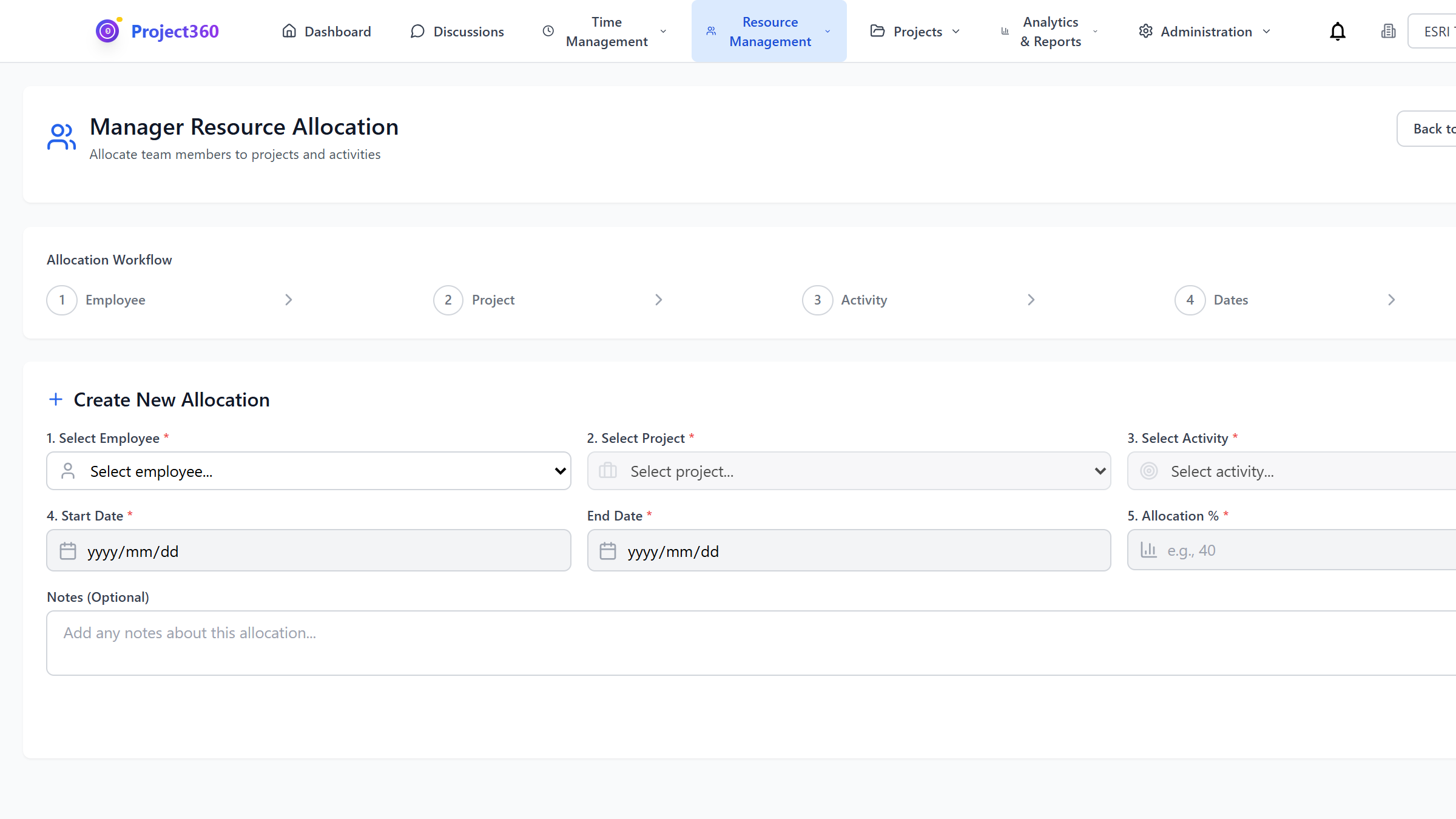
Optimize team utilization with visual resource planning tools. Allocate staff efficiently, prevent over-allocation, and maximize billable capacity.
Resource allocation chart showing employee capacity bars with project assignments
📸 To add screenshot:
1. Save your screenshot as: resource-allocation.png
2. Place in: frontend/public/screenshots/
Key Benefits
- Increase billable utilization from 65% to 80%+
- Reduce resource conflicts and scheduling issues
- Proactively identify capacity constraints
- Improve project delivery with better resource planning
Common Use Cases
- Resource Managers: Balance workload across teams and prevent burnout
- Project Managers: Plan project staffing and identify resource gaps early
- Operations Teams: Forecast hiring needs based on pipeline and capacity
- Department Heads: Understand team utilization and productivity metrics
Key Features & Capabilities
Advanced Analytics & Reporting
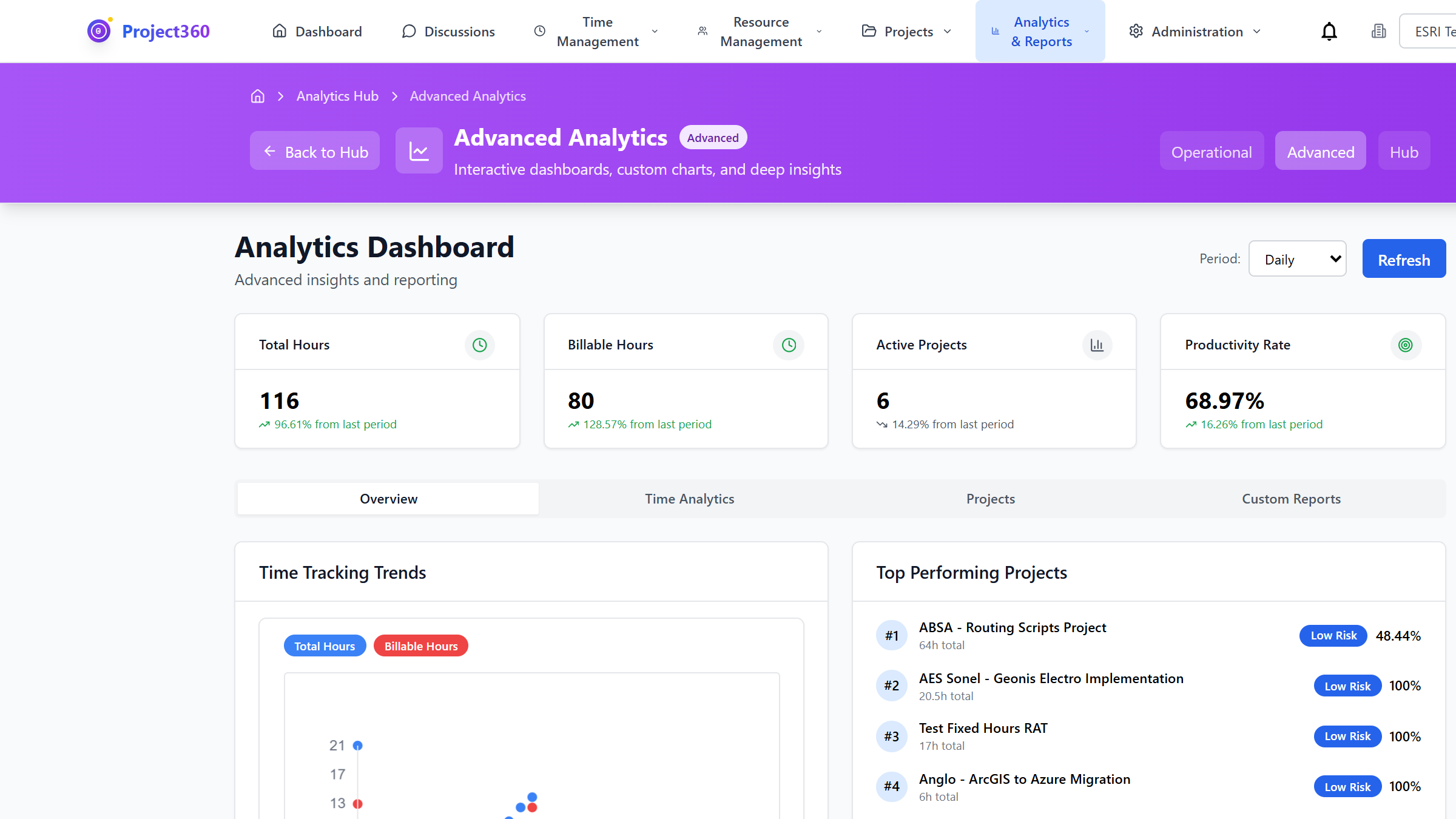
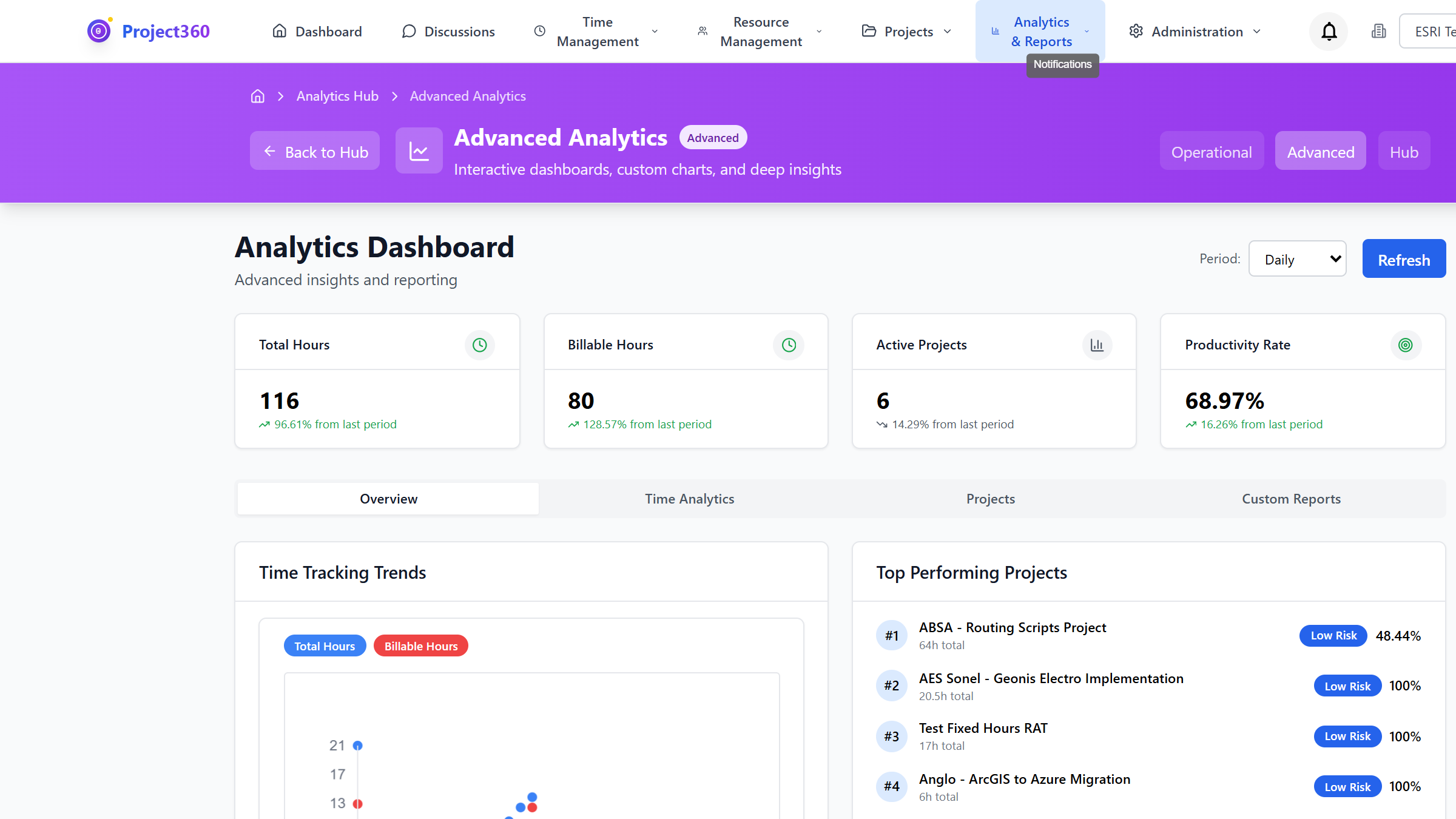
Turn data into insights with powerful analytics tools. Create custom reports, visualize trends, and drill down into the details that matter.
Analytics dashboard with multiple chart types showing project performance metrics
📸 To add screenshot:
1. Save your screenshot as: analytics.png
2. Place in: frontend/public/screenshots/
Key Benefits
- Discover hidden patterns and trends in your data
- Create custom reports tailored to your specific needs
- Share insights across your organization easily
- Make faster, more informed business decisions
Common Use Cases
- Business Analysts: Build custom reports and dashboards for stakeholders
- Executives: Monitor KPIs and track progress toward strategic goals
- Department Managers: Analyze team performance and identify improvement areas
- Compliance Teams: Generate audit reports and ensure regulatory compliance
Key Features & Capabilities
Leave Management
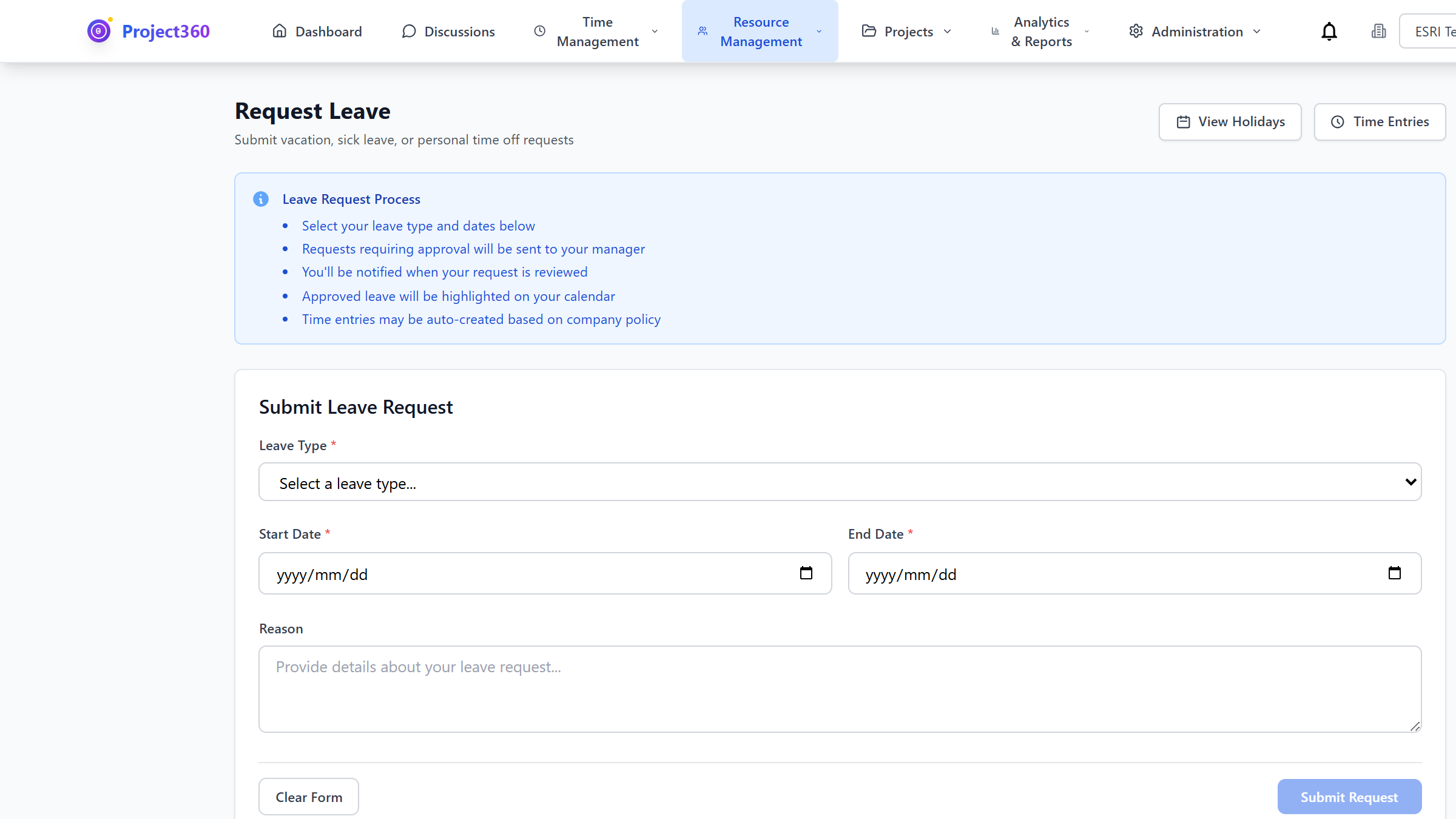
Simplify time-off requests and approval with integrated leave management. Track balances, manage policies, and ensure adequate coverage.
Leave calendar showing team availability and pending leave requests
📸 To add screenshot:
1. Save your screenshot as: leave-management.png
2. Place in: frontend/public/screenshots/
Key Benefits
- Reduce HR admin time by 50%
- Eliminate leave balance errors and disputes
- Ensure proper coverage with approval workflows
- Provide employees self-service access to leave information
Common Use Cases
- HR Teams: Manage organizational leave policies and track balances automatically
- Managers: Review and approve leave requests with visibility into team coverage
- Employees: Submit leave requests and check balances without contacting HR
- Payroll: Integrate leave data with payroll processing
Key Features & Capabilities
Notification System
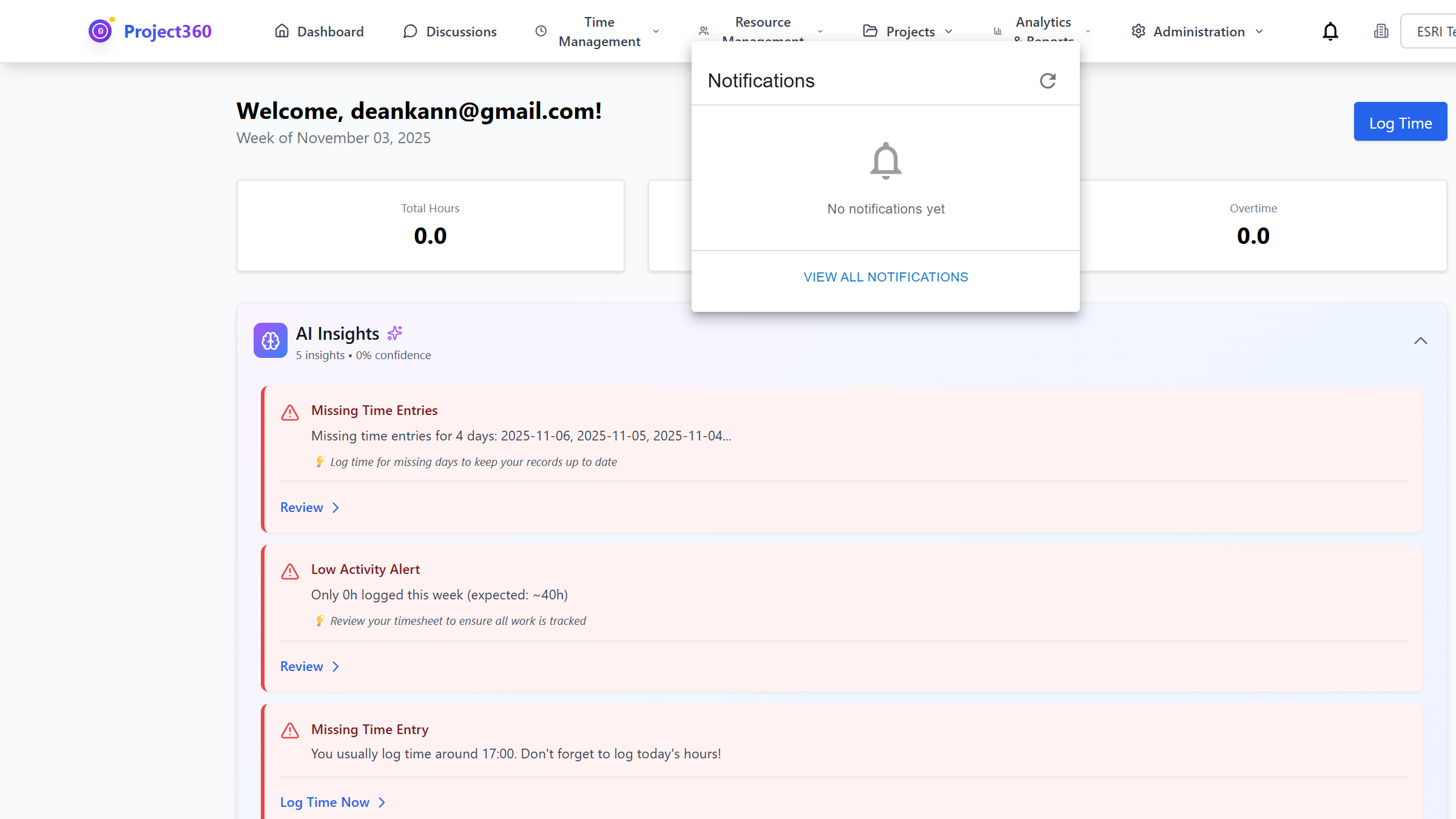
Stay informed with intelligent notifications. Email integration ensures you never miss important updates about projects, approvals, or team activities.
Notification center dropdown showing recent alerts and unread count
📸 To add screenshot:
1. Save your screenshot as: notifications.png
2. Place in: frontend/public/screenshots/
Key Benefits
- Reduce response time to critical issues
- Keep stakeholders informed automatically
- Minimize meetings with proactive notifications
- Ensure timely approvals and reviews
Common Use Cases
- Project Teams: Get alerts when tasks are completed or blocked
- Managers: Receive notifications for items requiring approval
- Stakeholders: Stay updated on project milestones and changes
- Everyone: Customize notification preferences to reduce noise
Key Features & Capabilities
Expense Tracking
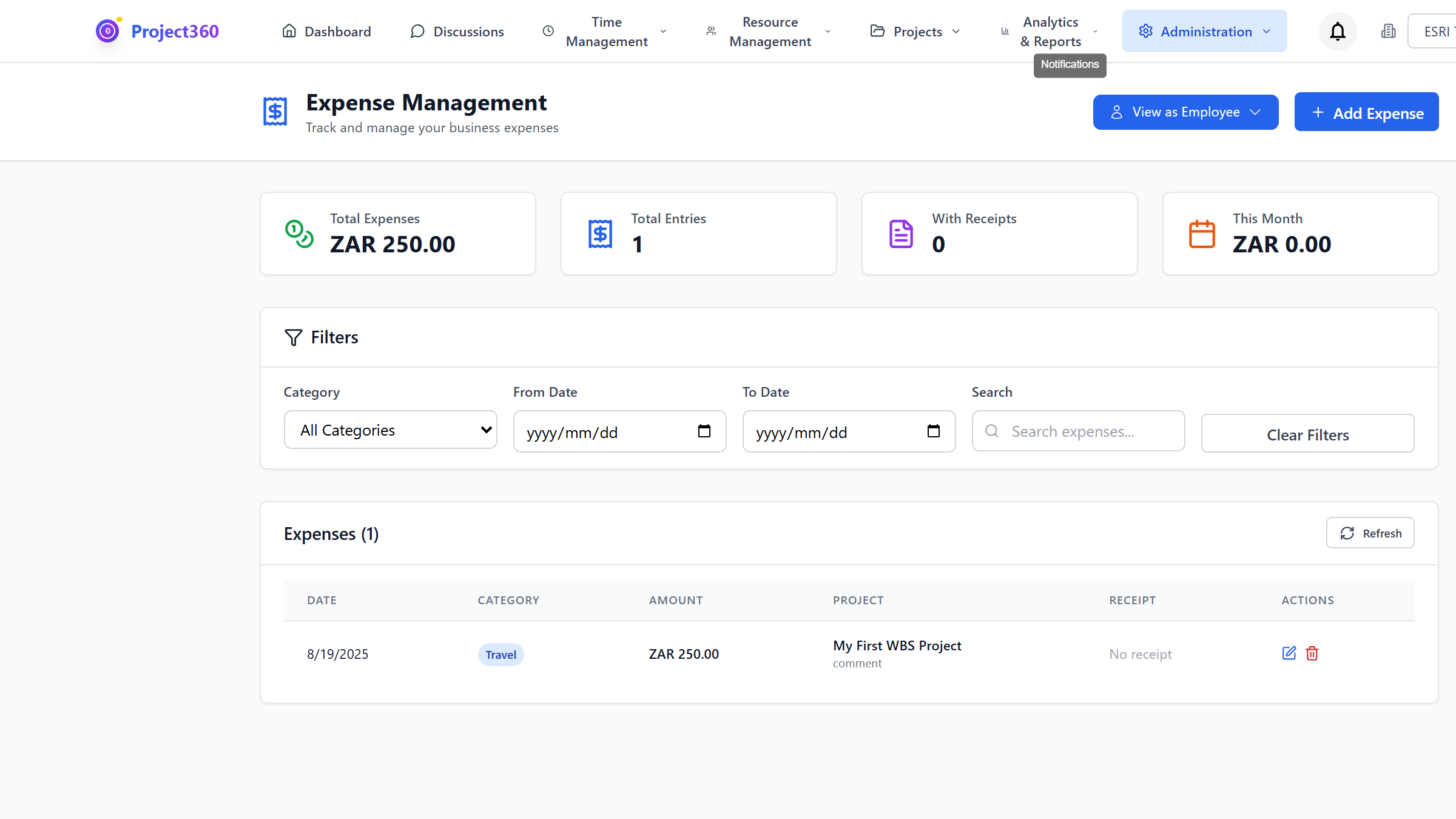
Simplify expense management with integrated receipt capture, approval workflows, and project assignment. Track reimbursements and project costs in one place.
Expense submission form with receipt image and project selection
📸 To add screenshot:
1. Save your screenshot as: expense-tracking.png
2. Place in: frontend/public/screenshots/
Key Benefits
- Reduce expense report processing time by 60%
- Improve receipt compliance from 70% to 95%+
- Accurate project cost tracking with automated expense allocation
- Faster reimbursement cycles improve employee satisfaction
Common Use Cases
- Consultants: Submit project expenses with receipt photos from mobile
- Finance Teams: Review and approve expenses with full audit trail
- Project Managers: Track project expenses against budgets
- Accountants: Export expense data for accounting system integration
Key Features & Capabilities
Discussions & Collaboration
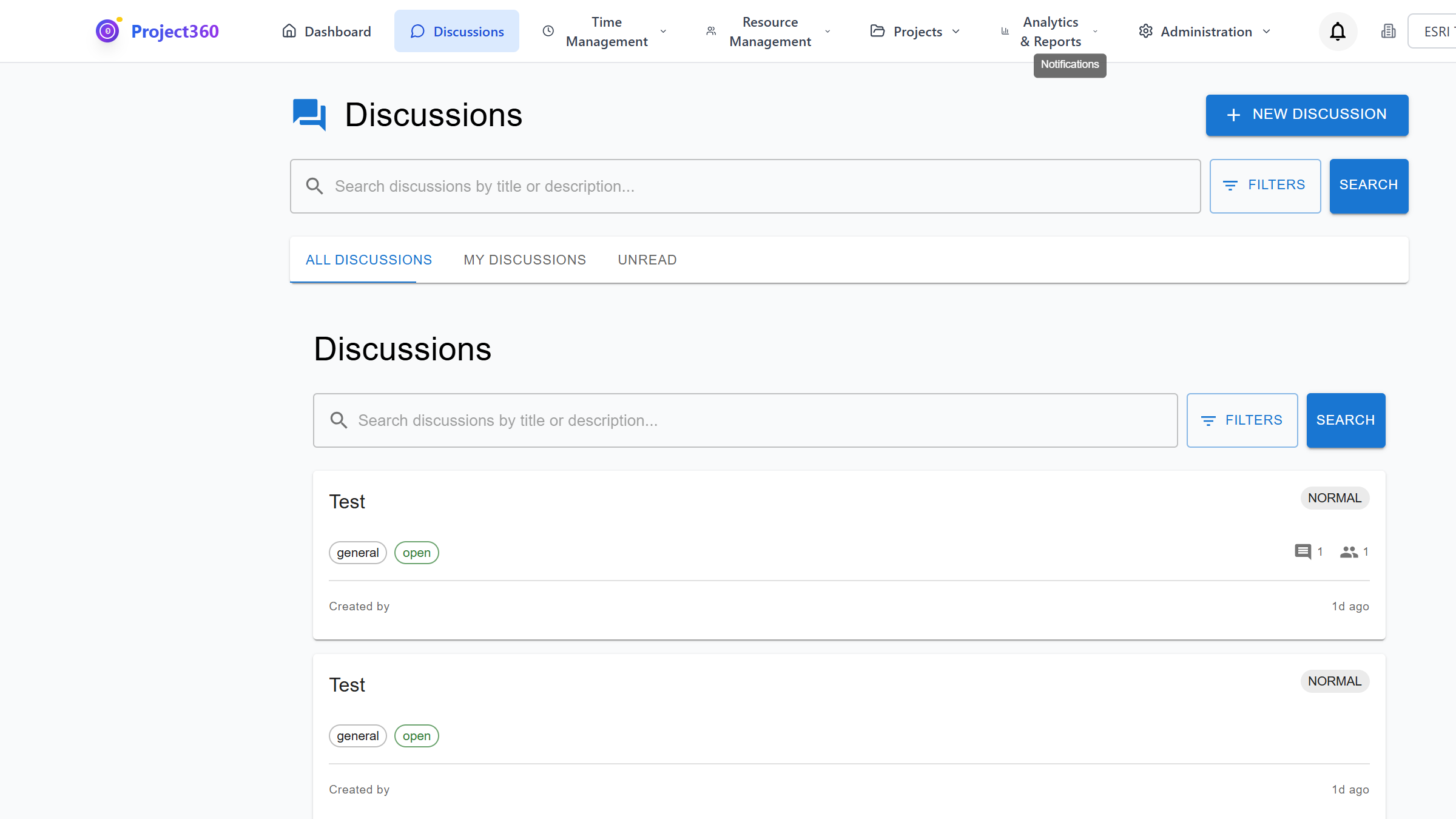
Enable team collaboration with in-app discussions, @mentions, task assignments, and AI-powered insights. Replace scattered email threads with organized project conversations.
Discussion thread showing comments with @mentions and task assignments
📸 To add screenshot:
1. Save your screenshot as: discussions.png
2. Place in: frontend/public/screenshots/
Key Benefits
- Reduce email volume by 40% with centralized discussions
- Improve project communication and decision tracking
- Faster issue resolution with contextual conversations
- Better knowledge retention with searchable discussion history
Common Use Cases
- Project Teams: Discuss issues, decisions, and updates in project context
- Remote Teams: Keep distributed teams aligned with threaded discussions
- Stakeholders: Follow project conversations without joining every meeting
- Knowledge Management: Build searchable repository of decisions and solutions
Key Features & Capabilities
AI-Powered Insights
Leverage artificial intelligence to uncover insights, automate routine tasks, and make smarter decisions. AI assists with summarization, categorization, and predictive analytics.
AI insights panel showing project risk score and recommended actions
📸 To add screenshot:
1. Save your screenshot as: ai-insights.png
2. Place in: frontend/public/screenshots/
Key Benefits
- Save 5-10 hours per week with AI-assisted workflows
- Discover insights you might have missed manually
- Predict project risks before they become issues
- Automate repetitive analysis tasks
Common Use Cases
- Executives: Get AI-generated executive summaries of project status
- Project Managers: Receive proactive risk alerts based on patterns
- Analysts: Use AI to categorize and tag large datasets automatically
- Teams: Get meeting summaries and action items automatically extracted
Key Features & Capabilities
Multi-Organization Support
Manage multiple organizations, clients, or business units from a single platform. Perfect for holding companies, MSPs, and multi-entity businesses.
Organization selector dropdown showing multiple client organizations
📸 To add screenshot:
1. Save your screenshot as: multi-org.png
2. Place in: frontend/public/screenshots/
Key Benefits
- Consolidate multiple systems into one platform
- Reduce IT overhead and licensing costs
- Maintain data isolation between organizations
- Centralized administration with distributed management
Common Use Cases
- Holding Companies: Manage multiple subsidiaries with separate data
- MSPs: Provide time tracking services to multiple clients
- Franchises: Support franchisees with centralized platform
- Consultancies: Maintain Chinese walls between client engagements
Key Features & Capabilities
Ready to Experience These Features?
Schedule a personalized demo to see how Project360 can transform your project management.
Request Demo